- Unbeatable prices all year round
- Flat-rate shipping on many products.
- +46 (0)31-27 42 30
- info@streckkodscenter.se

Color Label Printers Explained
Color label printers allow businesses to print professional full-color labels on demand for products, packaging, food, beverages, cosmetics, chemicals and retail applications.
This guide explains how color label printers work, when they are useful and what to consider when choosing a printer for in-house label production.
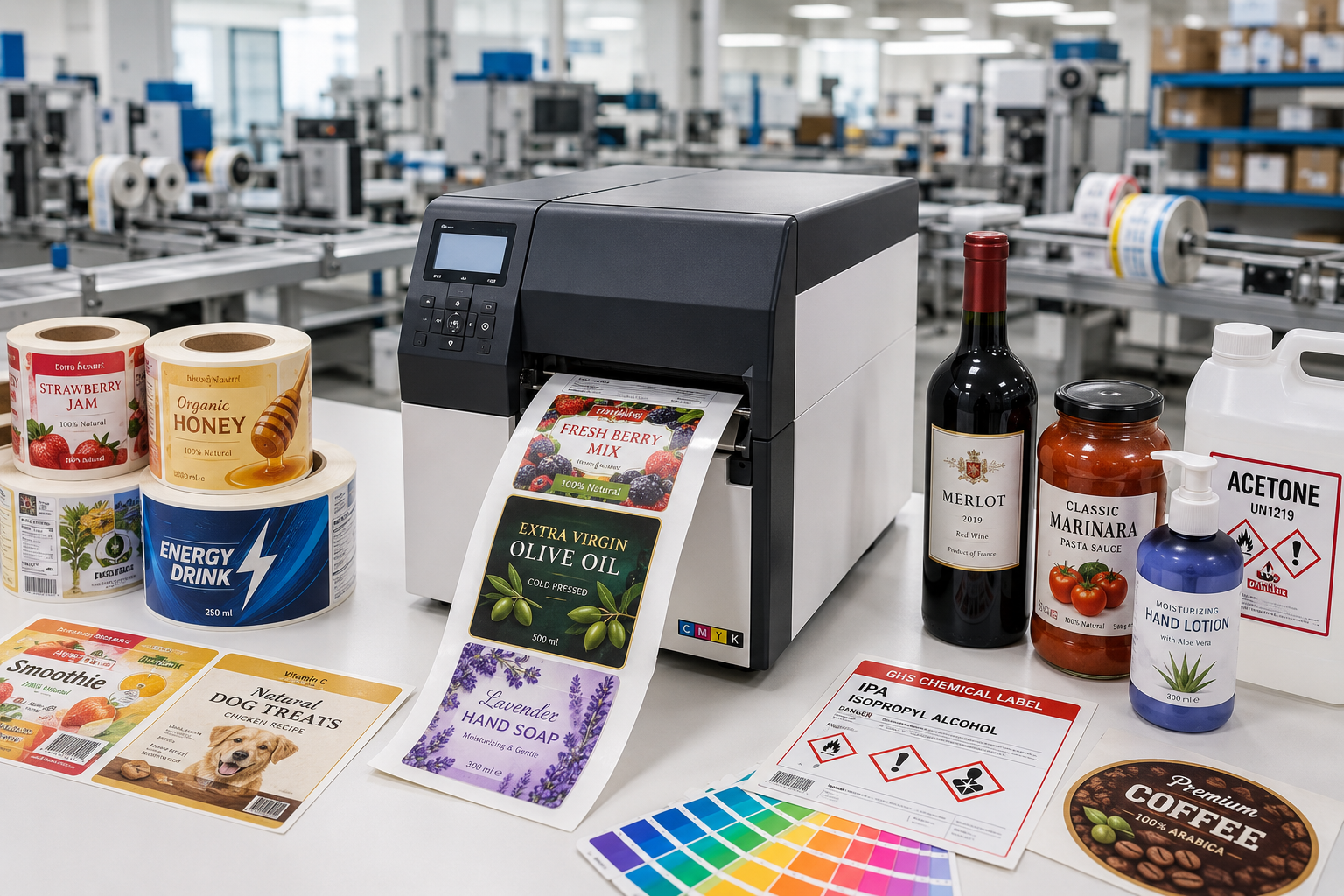
Quick answer: A color label printer prints full-color labels directly in-house. It is ideal for businesses that need product labels, branding labels, short runs, variable information, barcodes and professional packaging without ordering pre-printed labels.
What is a color label printer?
A color label printer is a printer designed to produce high-quality labels in full color. Unlike standard thermal label printers that usually print in black only, color label printers can print logos, product photos, graphics, symbols, ingredient information and branding elements directly onto labels.
They are often used by companies that need flexible label production for products, packaging, small batches, private label products, seasonal campaigns or frequently changing product information.
How color label printers work
Most color label printers use inkjet or digital printing technology. They apply CMYK colors to label material to create full-color images, text and barcodes. Depending on the printer and label material, labels can be made more resistant to moisture, handling and chemicals.
- Inkjet or digital printing technology
- CMYK full-color printing
- High-resolution graphics and logos
- Variable information and batch data
- Barcodes, QR codes and product details
- On-demand label production
Advantages of color label printers
- Full-color branding: print professional labels with logos, images and design elements.
- Print on demand: produce labels when needed instead of ordering large quantities.
- No minimum print runs: ideal for small batches, test products and seasonal labels.
- Faster product launches: create labels quickly for new products and campaigns.
- Lower label inventory: reduce the need to store many pre-printed label versions.
- Flexible information: update ingredients, barcodes, batch numbers or product details easily.
Common applications
| Application | Typical use |
| Food labels | Ingredients, branding, nutrition information and batch data. |
| Beverage labels | Bottle labels, promotional labels and product branding. |
| Cosmetic labels | Premium product packaging, logos and small-batch production. |
| Chemical labels | Warning symbols, product information and GHS-related labeling. |
| Retail labels | Promotional labels, shelf-ready packaging and branded product labels. |
Industries that use color label printers
- Food manufacturing
- Beverage production
- Cosmetics and personal care
- Chemical industry
- Pharmaceutical and healthcare labeling
- Retail and private label products
- Craft breweries and small producers
- Manufacturing and industrial product labeling
Color inkjet vs thermal label printers
| Color inkjet label printer | Thermal label printer |
| Full-color labels | Usually black print only |
| Best for branding and packaging | Best for logistics and barcode labels |
| Prints graphics, photos and logos | Prints text, barcodes and simple graphics |
| Good for product presentation | Good for warehouse and shipping workflows |
Choosing the right color label printer
The right color label printer depends on print quality, label size, production volume, label material and the type of products you label. A small producer may need flexibility, while an industrial user may need higher speed, durable labels and lower running costs.
- Print resolution and image quality
- Ink technology: pigment or dye ink
- Water resistance and label durability
- Maximum label width
- Print speed and daily volume
- Media compatibility
- Cost per label
- Maintenance and printhead care
- Barcode quality and readability
- Software and workflow integration
Running costs and label materials
When comparing color label printers, the purchase price is only one part of the total cost. Ink consumption, label material, maintenance, print volume and rejected labels all affect the long-term cost.
Businesses should also consider whether they need paper labels, synthetic labels, glossy labels, matte labels or water-resistant materials depending on the product and environment.
Can color label printers print barcodes?
Yes. Color label printers can print barcodes, QR codes and variable product information together with full-color graphics. For best results, barcode quality should be tested with the correct label material, resolution and scanner type.
High contrast, correct barcode size and clean print quality are important to ensure that labels remain readable in retail, warehouse and production environments.
FAQ – Color label printers
What is a color label printer?
A color label printer is a printer designed to produce professional full-color labels on demand for products, packaging, branding and industrial labeling.
Can color label printers print barcodes?
Yes. Color label printers can print barcodes and QR codes together with logos, graphics, product text and variable information.
Are color labels waterproof?
Water resistance depends on the printer, ink type and label material. Pigment inks and synthetic label materials can improve durability in demanding environments.
Which industries use color label printers?
Color label printers are used in food, beverage, cosmetics, chemicals, pharmaceuticals, manufacturing, retail and small-batch product production.
Need help choosing a color label printer?
Contact Streckkods-Center for advice on color label printing, product labeling, barcode labels, industrial labeling and digital label printing solutions.
Email: info@streckkodscenter.se
Phone: +46 (0)31-27 42 30